
Probably Stolen Machine Modules: Slots and Setup
Install a module in the machine's dedicated module bay, then check its operating requirements. In 1.0.0.12, the 3D Printer's Metal Printing and CNC modules work only from that bay. Putting them in the input or output inventory no longer activates them.
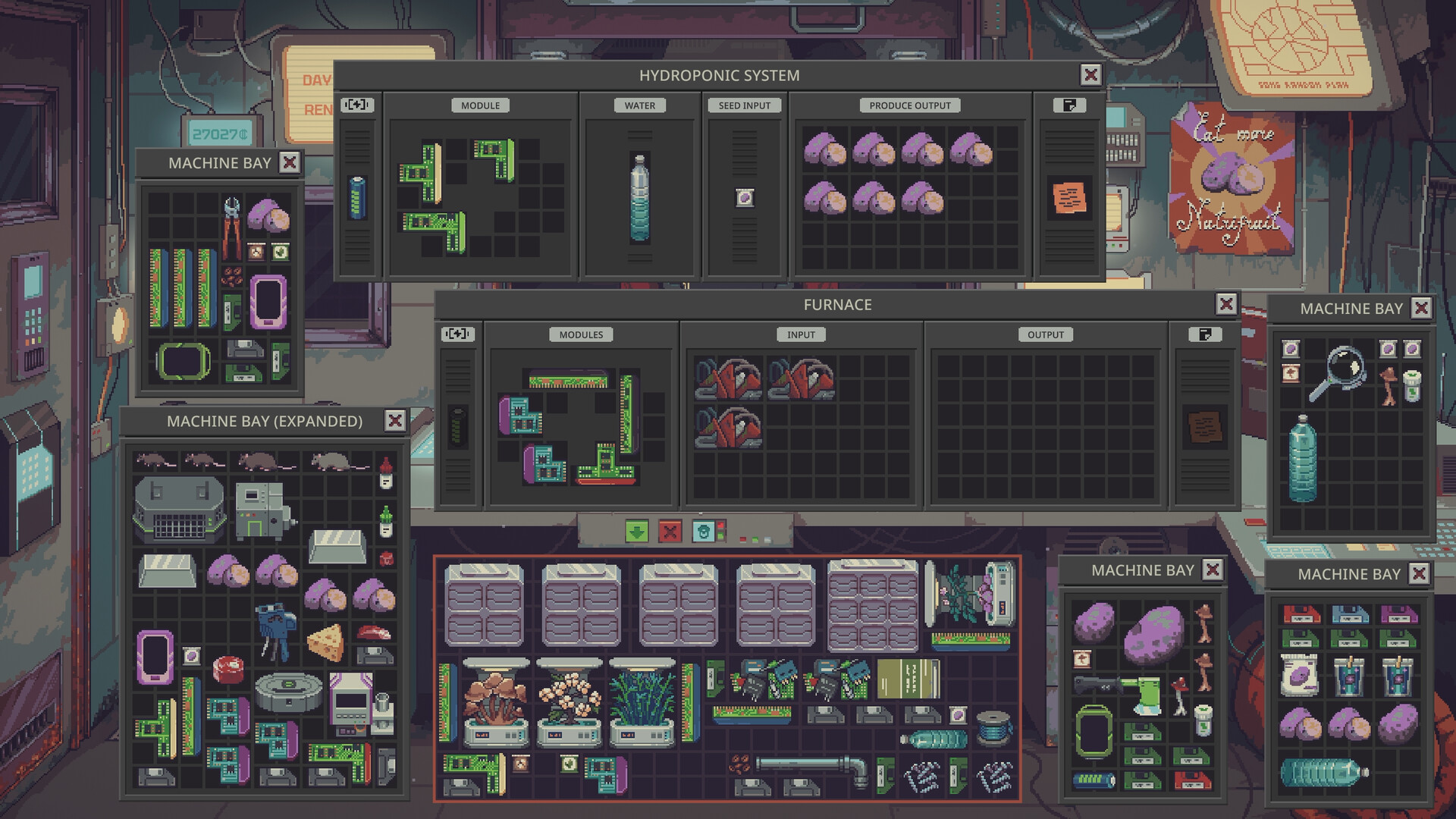
Read the machine before buying a module
Open the equipment panel and distinguish its module area from material input, product output and power. Official store screenshots show this separation on the Furnace and Hydroponic System. A larger storage bay supplies room for objects; it is not evidence that every stored module affects every machine.
Match the module to the job
For 3D printing, the current patch explicitly names Metal Printing and CNC. On other machines, read the module's applicable equipment and its modifiers before committing it. Quality, Efficiency and Performance are different properties; compare the actual tooltip and the machine's resulting status rather than assuming a universal percentage or one best arrangement.
Check power, input and output separately
An installed module does not supply missing ingredients or energy. Version 1.0.0.12 adds a Required Energy warning when the source cannot cover the coming night. Check that warning after changing the setup. The same update says full outputs can spill products into the store for the Furnace blast module, Printer and Desequencer.
Plan removal before installation
Early-release reference material and a release-era creator recording describe installed modules becoming stuck and requiring a Module Extractor. Treat fitting a valuable module as a commitment. This guide does not assign a current charge count to the extractor or promise the same removal behavior for every later patch. Keep expensive experiments separate from the production machine that pays your rent.
FAQ
Why does my CNC module do nothing in the input grid?
The 1.0.0.12 fix restricts CNC and Metal Printing to the 3D Printer's module bay. Move the module to the correct area.
Which module is best?
Choose against the machine's bottleneck: supported processing, quality, throughput or power. A complete current compatibility and percentage table is not established here.