
Probably Stolen Chemistry: Workflow and Batch Help
Chemistry is a production chain, not a one-button recipe system. A successful batch must contain the right reagents, lose the correct liquid, survive machine content loss, and enter the Chem Finisher with enough usable material for the selected output.
Quick answer: the chemistry order
- Read the current recipe in Chemistry 101.
- Combine the required supplies in the Blender.
- Check the mixture with the Chem Scanner.
- If the recipe requires liquid removal, place the powered Evaporator overnight.
- Scan the result again.
- Put the valid mixture in the Chem Finisher and select the correct product.
The exact recipe numbers can change between versions. Follow the handbook in your current game instead of copying a Demo recipe table.
What the Chemist start gives you
Chemist is one of the nine full-release scenarios. It begins around protected chemical recipes, laboratory equipment, and a Cartel relationship. Your exact supplies can vary with difficulty and starting conditions, but the route teaches the Blender, Evaporator, Chem Scanner, and Chem Finisher as a connected system.
The scenario can earn strong margins, yet it is less forgiving than ordinary resale. Every percentage of content loss matters when a quota requires a fixed number of finished units.
What each chemistry tool does
Blender
The Blender combines reagents and liquids. It can lose some contents during processing, so an input that exactly matches the theoretical recipe may produce too little material afterward.
Chem Scanner
The Scanner is the main diagnostic tool. Use it after mixing and again after evaporation to verify composition and remaining liquid. A full-looking container is not proof that it contains enough of the required reagent.
Evaporator
The Evaporator removes liquid during the overnight calculation. It needs power from an Energy Cell or the electrical grid. Version 1.0.0.5 fixed a problem where a tiny remaining amount of water could force another night or cause the Finisher to reject an otherwise valid mixture.
Chem Finisher
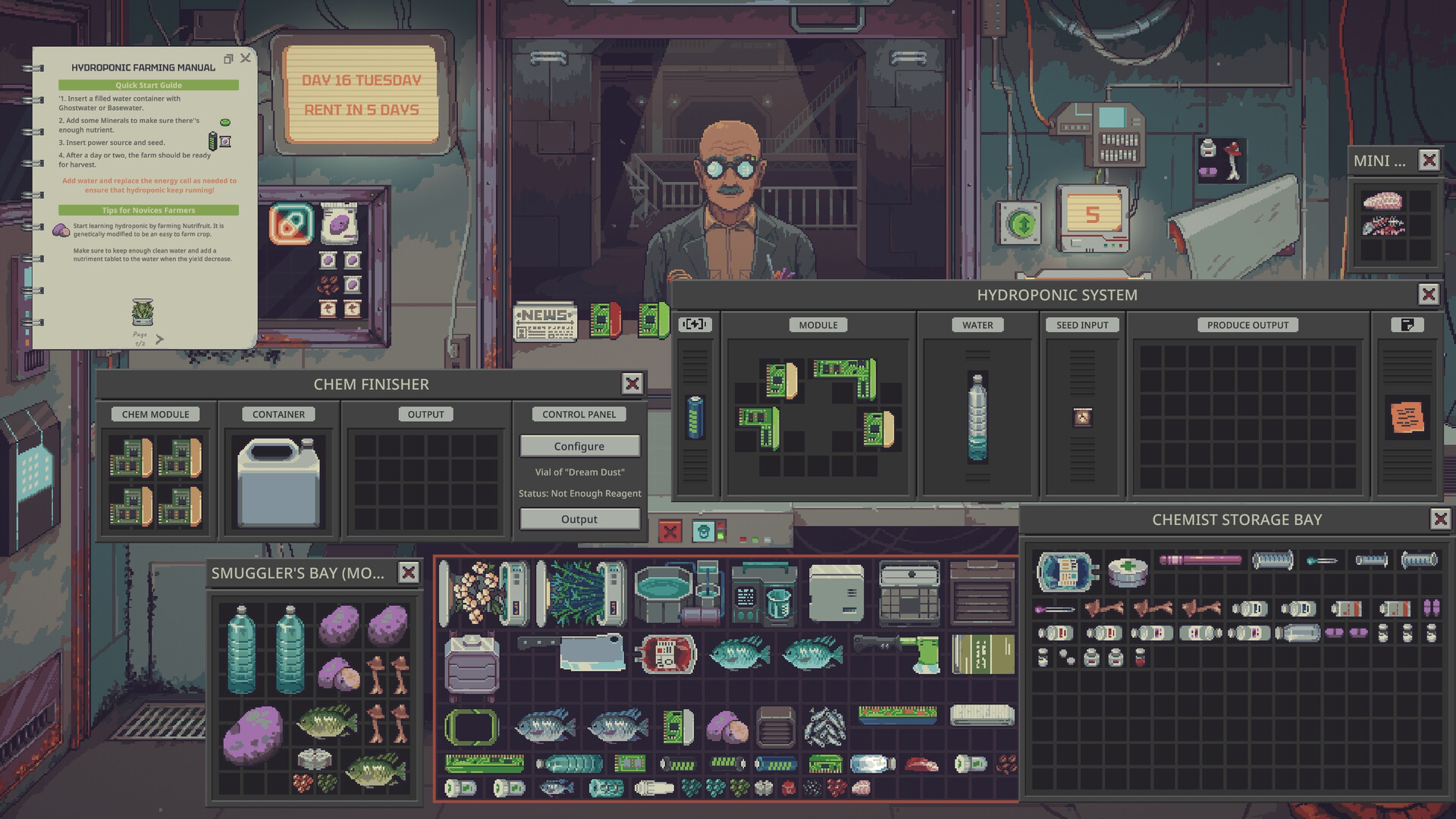
The Finisher turns a valid mixture into the chosen product and containers. It can also have content loss. Select the output that matches the mixture; the recipe name alone will not compensate for insufficient active material.
How to plan a batch
Start from the number of finished units you need, then work backward through both machines. If the Blender and Finisher show content loss, add a safety margin before processing. Scan after every stage rather than discovering the shortage at the final machine.
For a Cartel delivery, ordinary customer sales do not count as fulfilling the quota. Keep the required delivery stock separate until the obligation is complete.
Reducing content loss
Chemistry machines use Chemical Equipment Modules, not ordinary Machine Modules. Install the dedicated modules where the UI shows loss, especially on the Blender and Chem Finisher. Recheck the displayed Content Loss after every upgrade; do not assume a fixed number of modules always produces zero loss in every recipe or version.
Why the Chem Finisher says Not Enough Reagent
This message can have several causes:
- The active ingredient is below the recipe requirement.
- Blender or Finisher planning did not account for content loss.
- The container still has a liquid that should have been evaporated.
- The wrong product is selected.
- The total container volume looks sufficient, but some of it is not the required reagent.
Scan the container and compare the actual composition with Chemistry 101. The error is not automatically a bug.
Cartel quota safety
Cartel quotas are separate obligations with story and business consequences. Prepare more input than the exact final-unit target when your machines still have loss, and avoid selling the reserved delivery stock to regular customers. Current community sources disagree about every failure penalty and difficulty-specific quota, so check the in-game deadline rather than relying on a universal online table.
Diagnose the batch at the stage where it changed
Before mixing, compare the actual supplies with the current recipe. After mixing, inspect composition rather than assuming the container's total volume equals usable reagent. After evaporation, check the remaining liquid again before committing the batch to the selected Finisher output.
This order makes a failed batch easier to understand. A shortage that already appears after the Blender is different from an incorrect product choice at the Finisher. Keep those observations separate instead of changing ingredients, machine settings, and recipe selection all at once.
For a quota, use the actual delivery requirement as your planning target. Review the displayed loss on each relevant machine and reserve the finished stock until the Cartel collection. Producing chemicals and selling them successfully to an ordinary customer does not satisfy that separate obligation.
Reading old chemistry troubleshooting advice
A pre-1.0.0.5 video may show a mixture held back by a tiny water remainder. The official hotfix addressed the residual-water problem, including rejection by the Chem Finisher. An additional overnight wait from an old walkthrough is therefore not a universal required stage for current batches.
This does not mean every Not Enough Reagent message is obsolete. The selected recipe can still lack its required usable ingredients or quantity. Inspect the current mixture with the Scanner before attributing the failure to an old bug.
What this guide does not establish
待确认 (Pending confirmation): the full current recipe database, exact input and output quantities for every batch, and difficulty-specific Cartel deadlines and penalties. Whether four dedicated modules eliminate every Finisher recipe's loss also needs confirmation. Use the current Chemistry 101 and machine UI for those values; there is insufficient supplied evidence to publish a complete numerical recipe or penalty table here.
FAQ
Does the Evaporator need power?
Yes. Load the container, provide an Energy Cell or grid power, and allow the overnight process to resolve.
How do I reduce chemical loss?
Install Chemical Equipment Modules in the relevant chemistry machines and use the displayed Content Loss to calculate extra input.
Can I use an old Demo recipe?
Do not rely on it. The full release changed equipment behavior, loss, and recipes; the current in-game handbook and machine panels take priority.
Does selling a chemical to a customer complete a Cartel quota?
No. Treat the quota as a separate delivery and reserve its stock until the task is complete.