
Probably Stolen Underground Exchange: Trade Guide
The Underground Exchange is not a location or a normal vendor. It is a hidden overnight trade conducted through your shop's Trash Can and Janitorial Service. You submit the exact goods shown on the current Directive and collect the return from the bin the next morning.
Quick answer
Read the Underground Exchange Directive, place one exact offer's required items in the Trash Can, make sure Janitorial Service is enabled, end the day, and check the Trash Can the following morning. Leave enough empty space for the reward.
How to unlock the Underground Exchange
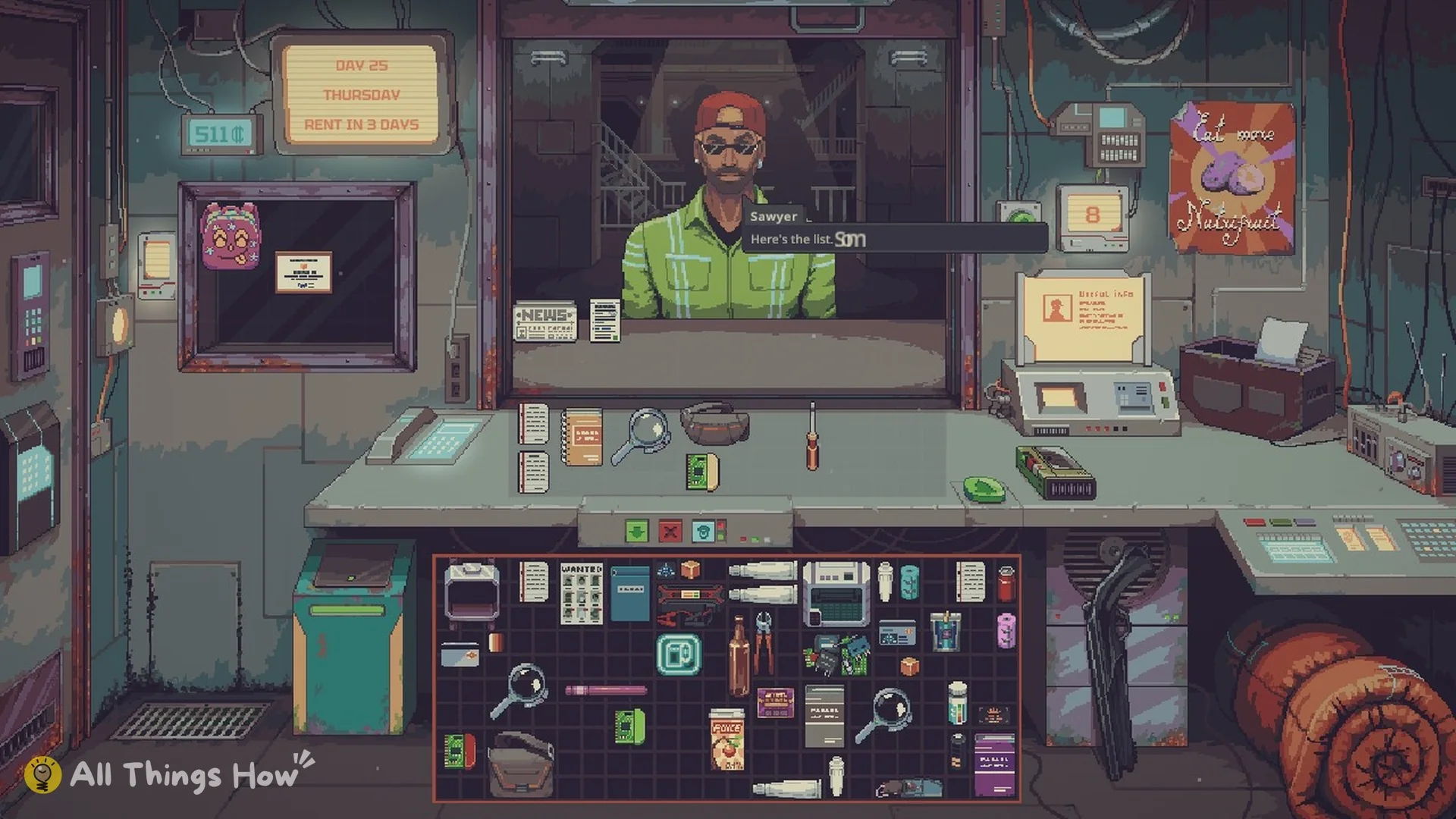
The Fence scenario begins with immediate access to the janitor's Underground Exchange. Community data also records Sawyer's Crew as an early-access route. On an ordinary route, Sawyer delivers the Directive later in the game; Day 25 is a common community observation, not an officially guaranteed date.
Once you have the Directive, treat it as the live source of truth. Old screenshots and weekly lists can become inaccurate when Promotional Exchanges rotate.
How to complete an exchange
- Open the current Underground Exchange Directive.
- Choose one offer and verify the exact item names and quantities.
- Empty unrelated or valuable goods from the Trash Can.
- Put one matching set of requested items in the Trash Can.
- Confirm that Janitorial Service is active for the night.
- Leave enough free bin capacity for the incoming reward.
- End the day.
- Check the Trash Can the next morning before adding more rubbish.
For valuable trades, submitting one offer at a time is the safest approach. A similar item, an incomplete quantity, or an already-used nightly offer may be treated as ordinary trash instead of a valid exchange.
Permanent and Promotional Exchanges
Permanent Exchanges remain available as stable recipes. Promotional Exchanges rotate and should be checked again before every expensive submission. Sources disagree about the exact refresh timing, so the current Directive is more reliable than a fixed online schedule.
Each listed offer should be treated as usable once per night. Do not place several identical sets in the bin expecting multiple returns unless the current game explicitly indicates that behavior.
Why the Underground Exchange is not working
Check these causes in order:
- Janitorial Service was disabled. The bin will not perform the overnight trade without it.
- The item or quantity did not match. Similar names and partial stacks do not satisfy the offer.
- The promotion rotated. Reopen the Directive before submitting the trade.
- The same offer was already used that night. Submit only one set per listed exchange.
- The Trash Can was full. The reward needs space to appear.
- Unrelated items were in the bin. The janitor may remove them as normal garbage.
Older reports describe Smuggler Bay rewards disappearing or the wrong offer taking priority. Official updates changed the priority rules, and version 1.0.0.5 fixed a Smuggler Bay Mod being cleared from the bin overnight. These reports should not be presented as guaranteed bugs in 1.0.0.6.
How to avoid losing items
Use the Trash Can as a dedicated exchange container on trading nights. Remove normal rubbish first, take a screenshot or note the current Directive, submit only the exact set, and leave capacity for the return. Collect the reward the next morning before performing any additional cleanup.
Treat submission and collection as separate checks
Before sleeping, compare the bin contents with the offer you just read. Check item identity and quantity, remove goods you meant to keep, and confirm the service setting. The bin is also a rubbish container, so an invalid submission does not have the protections of an ordinary counter trade.
After sleeping, inspect the bin for the reward before adding a new submission. This confirms what the overnight exchange actually returned. It also prevents you from confusing a previous reward with the inputs for the next trade.
For expensive exchanges, a single exact offer is a practical risk-control recommendation. It is not evidence that every pair of different offers is forbidden. The supplied research does not establish reliable simultaneous completion for all combinations, so this guide avoids promising it.
What the unlock evidence proves
The full-release Fence scenario explicitly provides immediate access to the janitor exchange. The ordinary route instead relies on Sawyer delivering the Directive later. A community observation of Day 25 helps explain the expected stage of progression, but it does not prove a fixed unlock date for every configuration.
Similarly, a promotional list seen in gameplay proves what that save offered at that time. It does not turn the list into a permanent recipe collection. Reopening the current Directive matters more than matching the week shown in a screenshot.
待确认 (Pending confirmation): the ordinary route's exact unlock day, Promotional Exchange reset timing, simultaneous completion of different offers, and the complete Black Market reputation thresholds. These gaps do not change the documented Trash Can, service, overnight, and collection workflow.
FAQ
Where is the Underground Exchange?
There is no map location. The system operates through the Trash Can and overnight Janitorial Service.
How do I unlock it early?
The Fence scenario has immediate access. Other routes obtain the Directive through Sawyer later in the run.
Why did I receive no reward?
Verify the service, current offer, exact quantity, nightly limit, and free bin space. An invalid item may be removed as trash.
Do promotional trades stay the same?
No. Promotional offers rotate, so check the Directive immediately before committing valuable goods.