
Probably Stolen Livestock Feed Dispenser Guide
The Livestock Feed Dispenser does not feed every animal from anywhere in the shop. It must be installed with the target cage or tank, and food must be blended into a calorie category that those animals can eat.
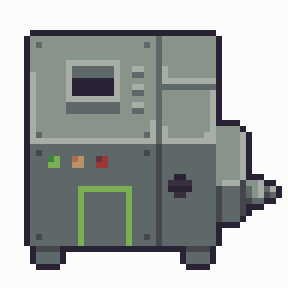
Quick answer
Install the Dispenser inside the relevant Animal Cage or tank equipment position, load food, choose Blend or configure Auto Blend, and check that the result appears under a compatible Stored Calories category. Animals below the feeding threshold eat overnight until they reach the configured feeding target.
Where to place the Dispenser
The machine must be connected to the animals it serves. A Dispenser sitting elsewhere in the shop does not automatically distribute food across cages or tanks.
Place it in the dedicated equipment position or inside the relevant animal system as allowed by the current UI. The Livestock Feed Dispenser is special cage equipment; ordinary production machines cannot be installed in an Animal Cage.
Loading and blending food
- Install the machine with the target cage or tank.
- Add a food item supported by the animal's diet.
- Use Blend, or enable Auto Blend if that is the behavior you want.
- Open the machine and check the correct Stored Calories category.
- Set the desired feeding target.
- Leave enough calories for the full overnight population.
- Check the animals and reserves the next morning.
The machine can hold up to 40,000 kcal in categorized storage and currently does not consume power. When the food item disappears, it has usually been converted into stored calories; that does not mean the animals have already eaten it.
Feeding threshold and target
Current game data records a feeding trigger around 75% and a default target of 85%. An animal above the trigger may not eat that night even though the machine is working. Once it qualifies, the Dispenser feeds it toward the target.
Treat the 75% trigger as current game-data behavior rather than a permanent developer promise. If a patch changes the tooltip, follow the value displayed in your version.
What rats and fish can eat
Stored calories are divided into diet categories. Rats do not use fish-feed reserves merely because the machine has calories available. Fish may require carnivore, herbivore, or omnivore-compatible storage depending on the species.
Inspect the animal and machine categories together. A large total in the wrong bucket is equivalent to no available food for that animal.
Prion risk and emptying the machine
Do not blend rat meat into the reserve used for rats. It creates a cannibal-meat Prion risk that remains until the affected meat storage is cleared. Adding safe food does not automatically remove the flag.
The Empty action discards the relevant stored calories. It does not return the original food items, so use it only after confirming that the reserve is wrong or contaminated.
Why animals are not eating
- The Dispenser is not installed in the same cage or tank.
- Food was inserted but never blended.
- You are viewing the wrong stored-calorie category.
- The species cannot eat that category.
- The animal is still above the feeding trigger.
- The feeding target is too low for the result you expect.
- The reserve was emptied or contaminated.
Follow food through three states
An inserted food item is input. After Blend, it becomes categorized Stored Calories. Only a later qualifying feeding event consumes those calories, so the item's disappearance cannot establish that an animal ate.
Inspect those states in order when troubleshooting. First confirm installation with the target cage or tank, then check that blending created the relevant reserve. Finally compare the animal's diet and feeding state with the category and target you selected.
This avoids replacing food repeatedly when the real problem is category or installation. A full fish-feed reserve cannot solve a rat's shortage. A daytime animal above the trigger also does not prove that a correctly stocked machine failed.
Clear contamination without expecting a refund
The machine's willingness to blend food does not establish that its reserve is safe for every animal. Keep rat meat out of a rat colony's supply because the relevant meat reserve retains Prion risk. Adding another food is not a documented way to erase that flag.
Use Empty deliberately to discard a wrong or contaminated reserve. It destroys stored calories and does not recreate the inputs. Check that you can replace compatible food before clearing a supply the animals depend on.
Remaining interface questions
待确认 (Pending confirmation): exact Auto Blend timing, all current fish-food category names, and how animals divide intake across compatible reserves. Sharing one uninstalled machine across cages or tanks is also unconfirmed; use the documented installed setup.
The capacity, recorded 75% trigger, and default 85% target come from supplied machine-data sources. They are not developer guarantees or fresh in-game measurements by this site.
FAQ
Does the Livestock Feed Dispenser need power?
Current full-release machine data records no power requirement. Correct installation, blending, diet category, and overnight timing still matter.
Why did my food disappear?
It was probably blended into categorized Stored Calories. Open the machine and inspect each compatible reserve.
Why are my rats not eating?
They may be above the trigger, unable to eat the stored category, or disconnected from the machine because it is outside their cage.
Can I recover food with Empty?
No. Empty discards stored calories and does not recreate the original items.