
Probably Stolen How to Buy Shop: Price and Buyout
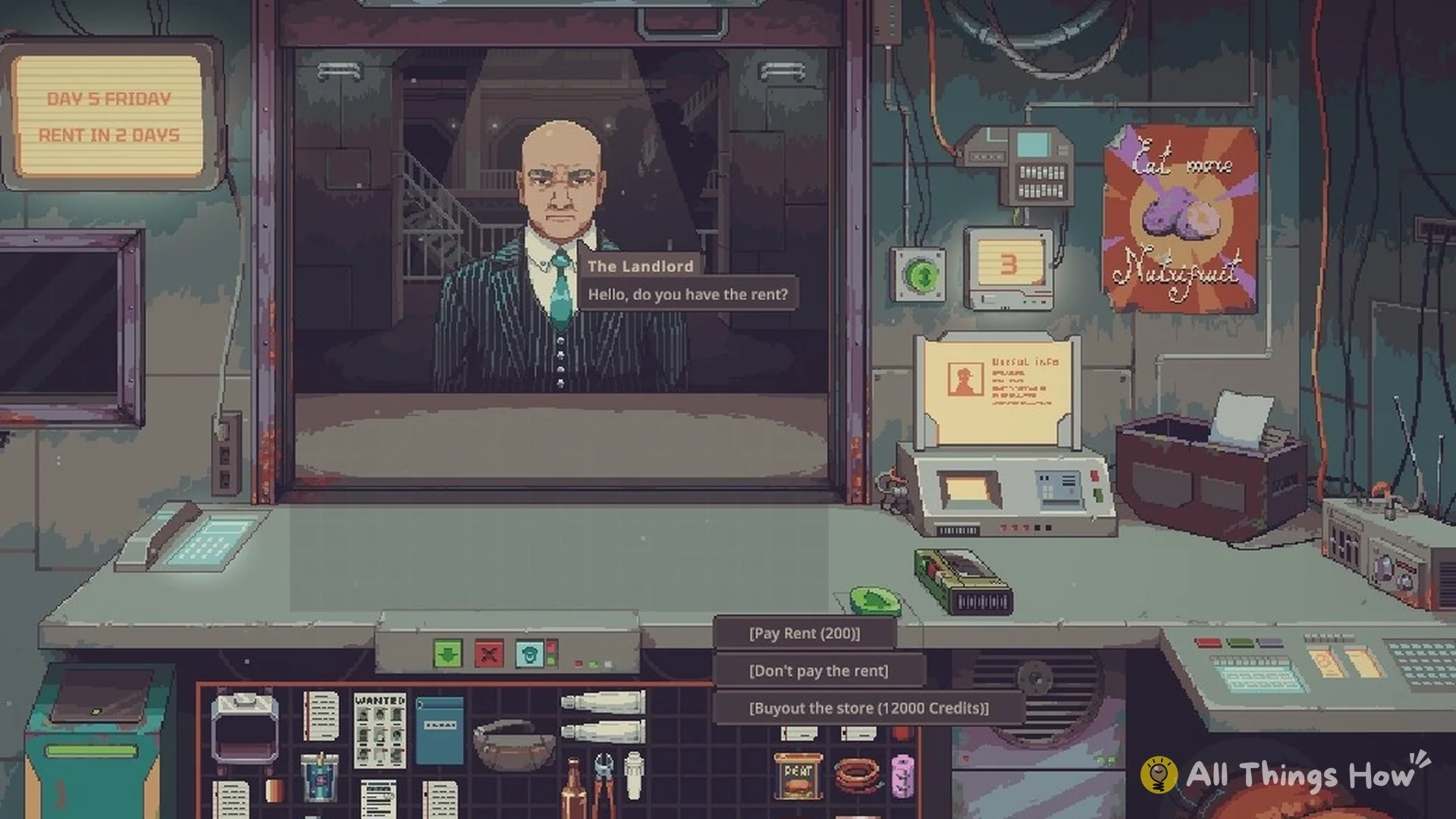
Buying the shop is the full-release end goal: save enough credits, confirm the current Property Value, and complete the purchase through the Landlord. The buyout triggers an ending and statistics screen, stops rent, and still allows you to continue the save.
Quick answer
Open the Calendar and check Property Value. Save that amount in liquid credits, then use the Landlord's property or rent interaction to select the buyout when it becomes available. Do not rely on an old fixed online price if your Calendar shows a different value.
Shop prices by difficulty
Current community data gives these useful base references:
| Difficulty | Base buyout reference |
|---|---|
| Price Gouge | 12,000 credits |
| Mark Up | 12,000 credits |
| Thin Margins | 24,000 credits |
| Red Ink | 36,000 credits |
These are not permanent prices for every day and configuration. Progression, difficulty, or financing can produce different numbers. The Calendar's current Property Value is the figure that matters for your save.
How to trigger the buyout
- Confirm that you are playing the full release, not the retired Demo.
- Open the Calendar and note the current Property Value.
- Keep the full amount available instead of tying it up in stock or machines.
- Wait for the relevant Landlord interaction.
- Choose the property-purchase or buyout option.
- Confirm the payment and view the Buyout ending statistics.
If the option is absent, first compare your cash with the live Calendar value and make sure you are at the correct Landlord visit. Hidden Demo text does not mean the Demo contains a functional buyout route.
Direct purchase versus financing
Direct buyout
Saving the full price is the simplest and safest route. It requires more cash upfront but avoids weekly repayment, interest, and repossession conditions.
Bank financing
A bank route can make the purchase available before you hold the entire price, but the displayed interest and payment schedule change the real cost. Read the current contract rather than comparing only the initial amount.
Loan Shark route
Loan Shark financing carries high-risk repayment and asset consequences. It is not a discount. Use it only when your shop's reliable weekly cash flow can survive the schedule and you understand what can be reclaimed after a missed payment.
Because the precise financing formula can differ by difficulty or update, this guide does not present a universal interest calculation.
What happens after buying the shop
The purchase triggers the Buyout ending and shows a run statistics page. It does not delete the save. You can continue operating the shop afterward, now without the recurring rent obligation.
The ending records that you achieved the game's long-term business objective; it does not force every character story, production chain, or collection to be complete.
Why the buyout option is missing
- You are playing the Demo instead of version 1.0.
- Your available credits are below the current Property Value.
- Your money is held in inventory rather than spendable cash.
- The correct Landlord interaction has not occurred yet.
- You are comparing against a 12,000-credit reference while your difficulty or current value is higher.
Check cash rather than stock value
Start with Property Value in your own Calendar. Then compare it with spendable credits rather than the advertised value of unsold stock. Valuable goods cannot stand in for the full cash payment required by the direct route.
Until the purchase completes, continue planning for current shop obligations. Reaching an old online target does not freeze your actual Property Value or remove rent. Recheck the figure when preparing for the relevant Landlord interaction.
Compare financing by the whole commitment
A smaller initial payment does not establish a cheaper purchase. Read the deposit, interest, weekly schedule, and consequences before treating financing as a shortcut. Compare repayments with the cash flow your shop sustains, rather than its best single day.
Keep the bank and Loan Shark routes separate in this comparison. Their conditions are not interchangeable, and the supplied research does not verify a universal financing formula. If you cannot evaluate the displayed commitment, saving for a direct buyout is the simpler planning recommendation.
Recognize the ending presentation
The Buyout statistics screen marks completion of the property objective. It does not mean every character story or production system is complete, and the supplied sources describe continuing the save afterward. Distinguish that presentation from a claim that the save is erased.
待确认 (Pending confirmation): later-game Property Value growth, all bank-loan prerequisites and calculations, and the Loan Shark repossession sequence by difficulty. No fixed purchase day, universal mortgage cost, or guaranteed fastest-money route is established here.
FAQ
How much does the shop cost?
The common base references are 12,000 credits on Price Gouge or Mark Up, 24,000 on Thin Margins, and 36,000 on Red Ink. Always follow your Calendar.
Does buying the shop end the game?
It triggers an ending and statistics screen, but you can continue the same save afterward.
Can I buy the shop in the Demo?
No normal buyout route is available in the retired Demo. Start a full-release save for the intended ending.
Is the Loan Shark cheaper?
No. Financing trades lower immediate cash for interest, weekly payments, and asset risk.